ITP and QIP from the spec
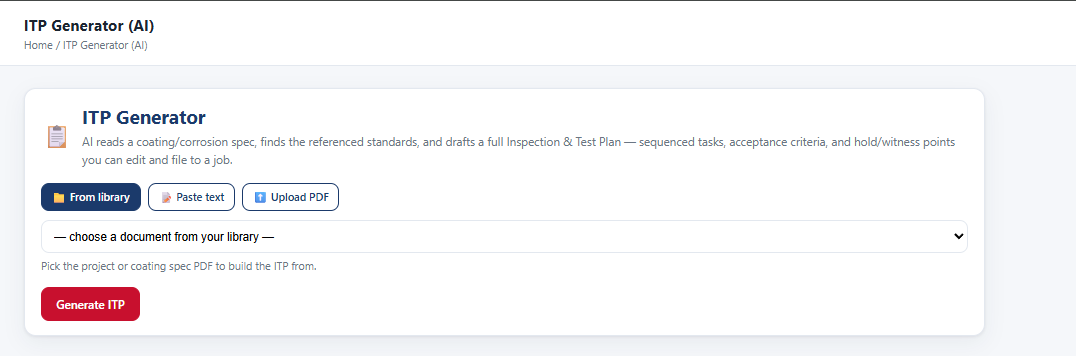
It finds the standards the spec references and drafts the Inspection & Test Plan — sequenced tasks, acceptance criteria, hold and witness points. Edit it and file it to the job. Same for a Quality Inspection Plan.
FeClad Systems makes the tools our own crews run on — field reporting, corrosion life assessment, and job tracking. No bloat, no features nobody asked for.
Built and run by an AMPP QP 5 inspection company, on our own jobs.
Your data is yours.
FeClad owns the software. You own your records. Reports file to your own SharePoint, your data is walled off from every other company on the system, and you can ask for a full export of every report, photo and file any time you want it.
Four programs under FeClad. Open one to see what it does.
Point it at the coating or corrosion spec. It does the reading so the inspector can do the inspecting.
It finds the standards the spec references and drafts the Inspection & Test Plan — sequenced tasks, acceptance criteria, hold and witness points. Edit it and file it to the job. Same for a Quality Inspection Plan.
The instruments the scope actually calls for, listed before anybody leaves the shop — not discovered on site.
Runs the report against the spec. Missing readings, out-of-range values and gaps get caught while the inspector is still on the job, not in a review queue a week later.

The Daily Coating Inspection Report is laid out the way an inspector actually works the job.
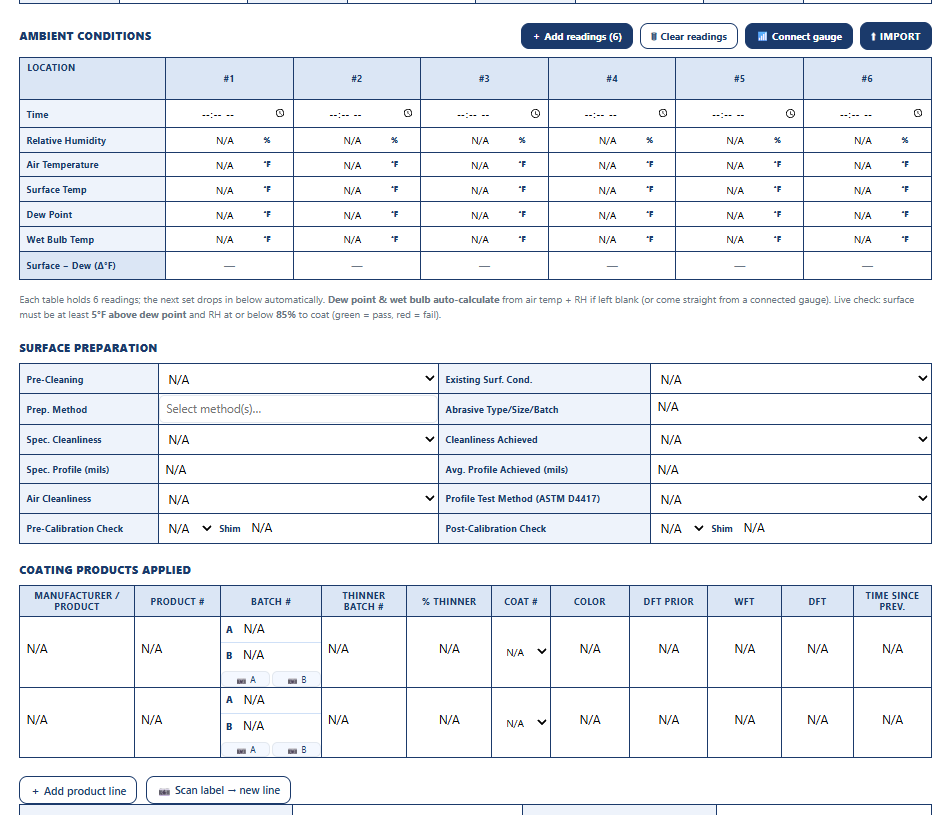
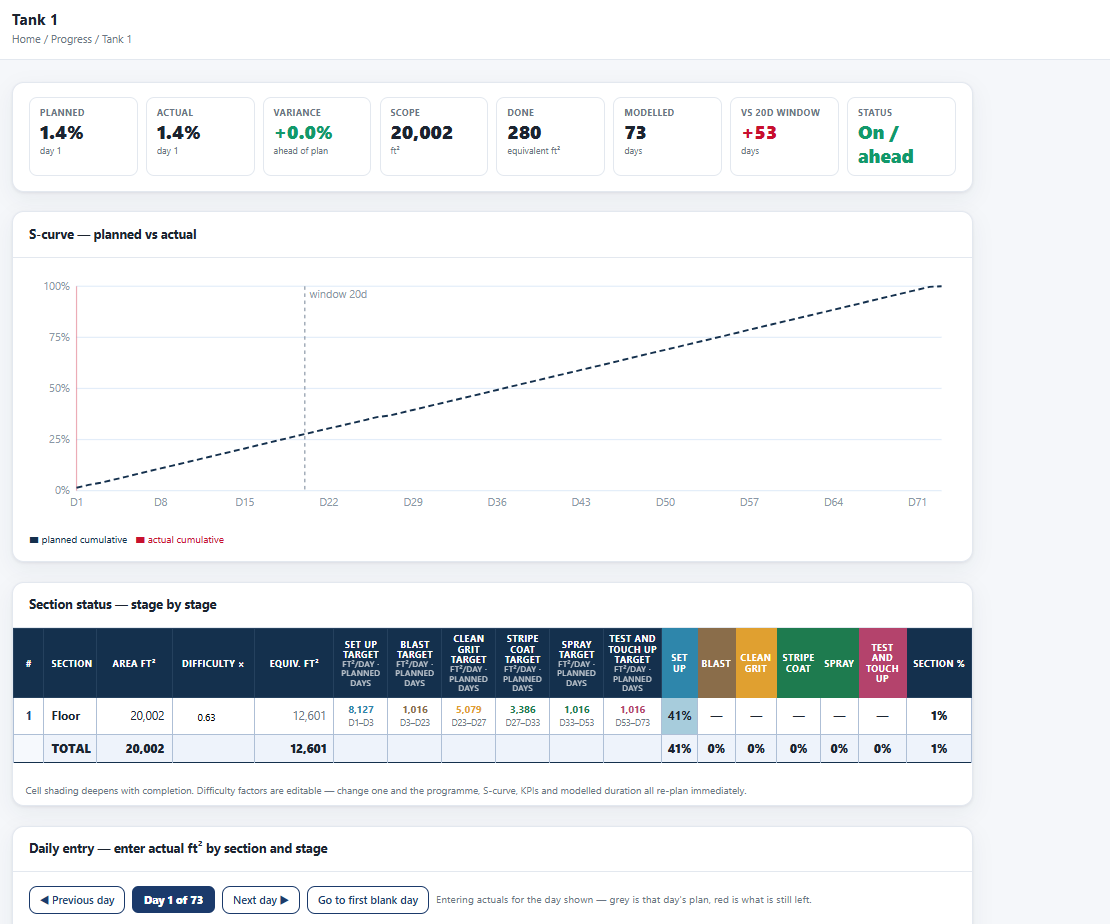
Not a mock-up — screens from FeView on a live job.

 FeClass™
spoken “IronClass”
Turns a coating condition survey into a maintenance plan you can defend, a priced work package, and the proof the work got done.
 FeTrace™
spoken “IronTrace”
Job tracking and dispatch for NDT contractors. Nobody gets dispatched without a current certification, and no gear goes out of calibration on a job.
 FeOps
spoken “IronOps”
One board for the work coming in and the work going out — bids, jobs and who's on which crew.
Set up around the AMPP, ASTM, ISO and BSEE methods coating and corrosion inspectors work to.
Load the standards you own into your library and the AI reads them. We can't supply standards — they're copyrighted — but your copies work.
Every screen comes from work we were already doing. If it didn't earn its place on a job site, it isn't in there.
We're an AMPP QP 5 coating inspection company. These are the tools our own inspectors run on our own jobs.
No sign-up form to fight with. We create the accounts, set your users, and hand you a login that works.
Yes. Inspectors keep working offline. Reports save on the device and sync when the connection comes back.
iPhone, iPad, Android, or any web browser.
Yes. FeView pairs with dry film thickness gauges over Bluetooth and pulls the readings straight into the report, so nobody re-types them.
You do. FeClad owns the software; your company owns its records. Reports file to your own SharePoint, and you can ask for a full export of every report, photo and file at any time.
No. Each company's data is walled off from everyone else's.
Yes. Give them a read-only login. They see completed reports for their own jobs and nothing else. Customer logins are free.
No. Rates, costs and invoices stay on the contractor side.
It reads the coating or corrosion spec and finds the standards it references. From that it drafts the ITP or QIP with hold and witness points, plus the list of instruments the scope needs. Before a report goes out, AI Check runs it against the spec and flags missing readings, out-of-range values and gaps.
Yes, company by company.
Daily Coating Inspection Report, Coating QC Test Record, JSA, Job Completion, cost and progress reports, and an SOP library.
Yes. Upload your own copies. We can't supply standards because of copyright.
There's no sign-up form. We set up your company, users and logins, and hand you working accounts.
Per inspector and admin seat, in bands by company size. Customer logins are free.
An AMPP QP 5 inspection company, from tools we run on our own jobs.
FeClad is licensed to inspection and coatings contractors. Book a walk-through, tell us what you run now, and we'll tell you straight whether it's a fit.